
This feature requires Speco Digital Deterrent cameras connected to a Speco Blue-series NVR that supports advanced analytics. Start by connoting the cameras to the NVR as normal. The configuration can be done from the monitor connected to the NVR or from the web interface. This guide was made using the web interface.
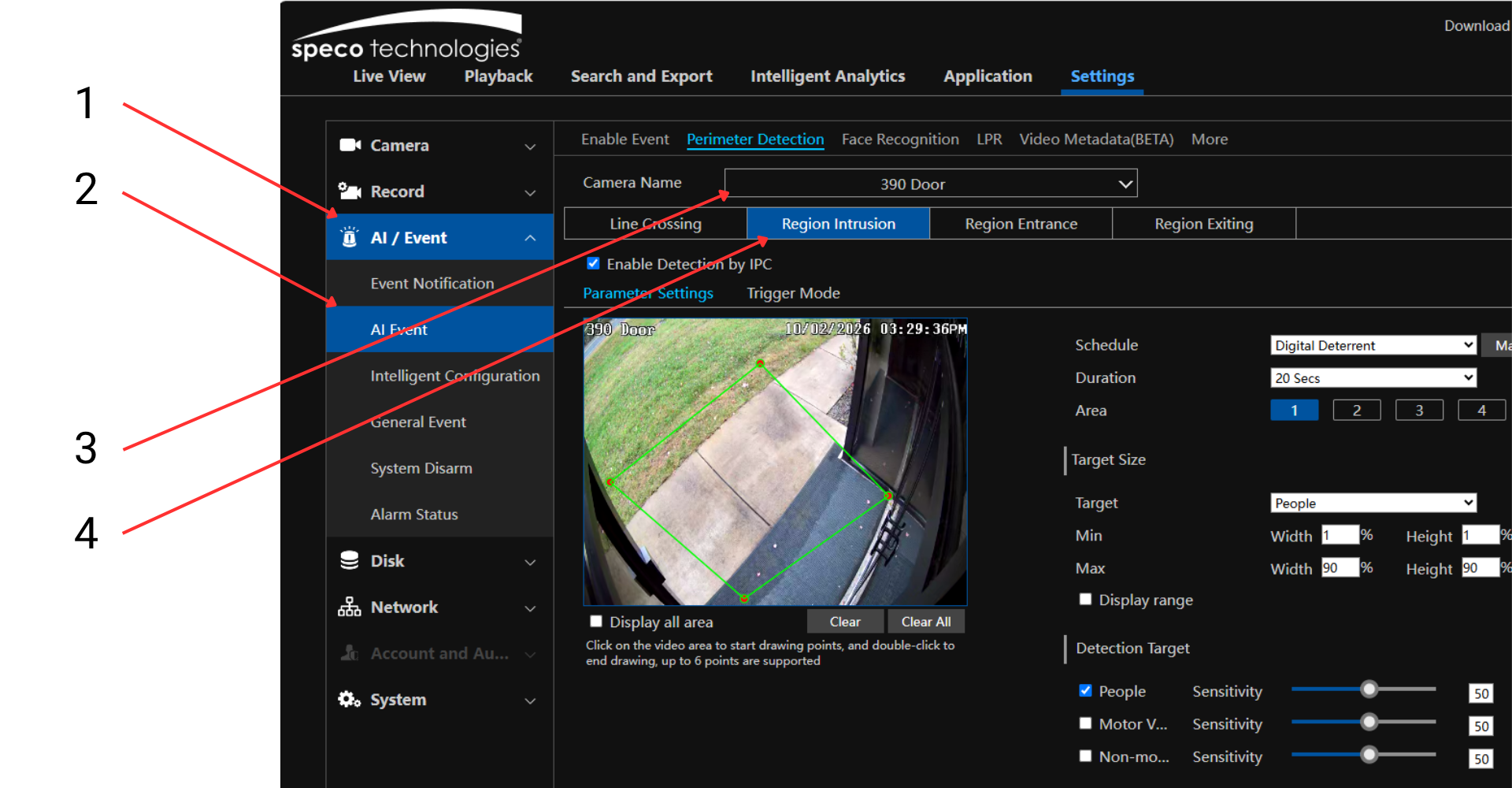
- Click the AI / Event menu (1)
- Click AI Event (2)
- Select the camera you want to configure (3)
- Click Regional Invasion (4)
- Be sure the Enable Detection by IPC box is checked
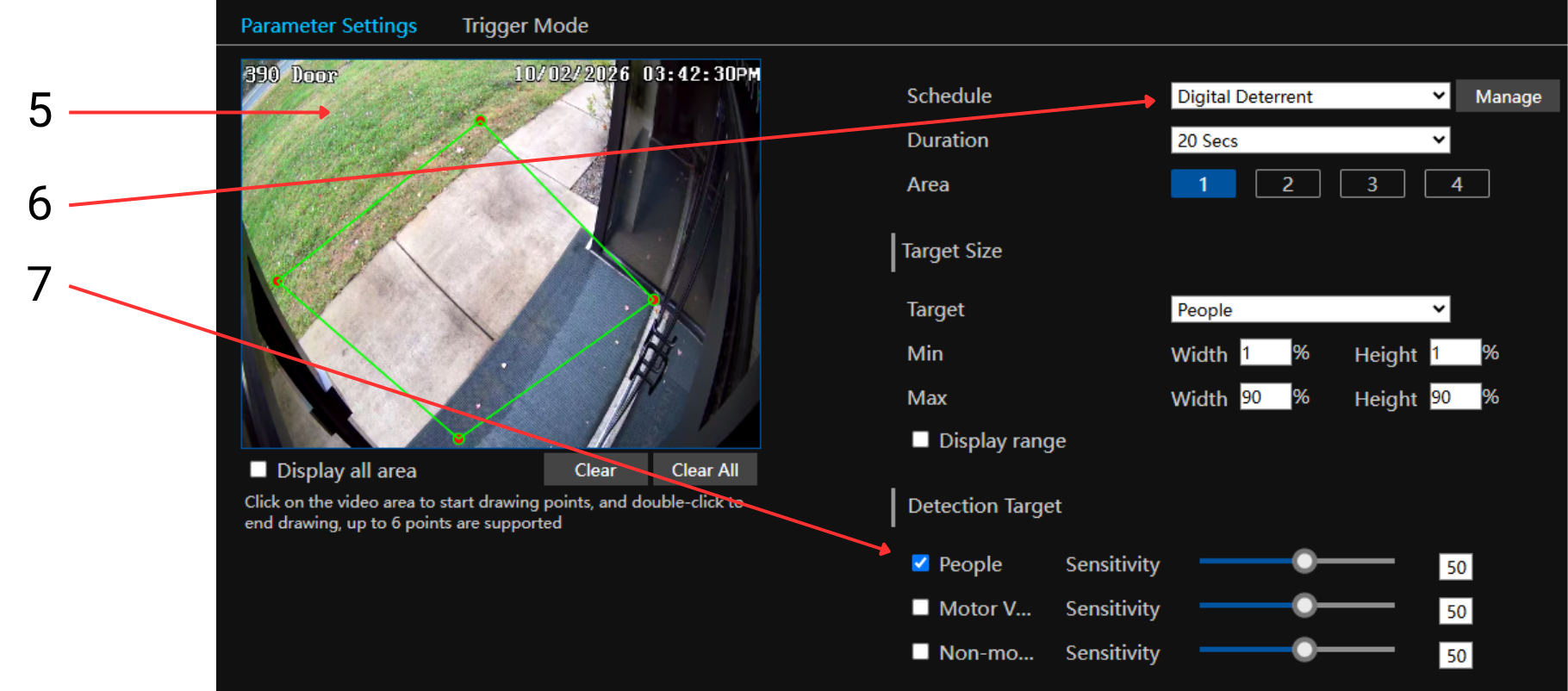
- Draw a shape of the area where you want to watch for people (5)
- Select a schedule or make a new on (6) - note that the schedule is 24x7 - you may want to set up an afterhours schedule, for example
- Select the desired detection category (7), typically People
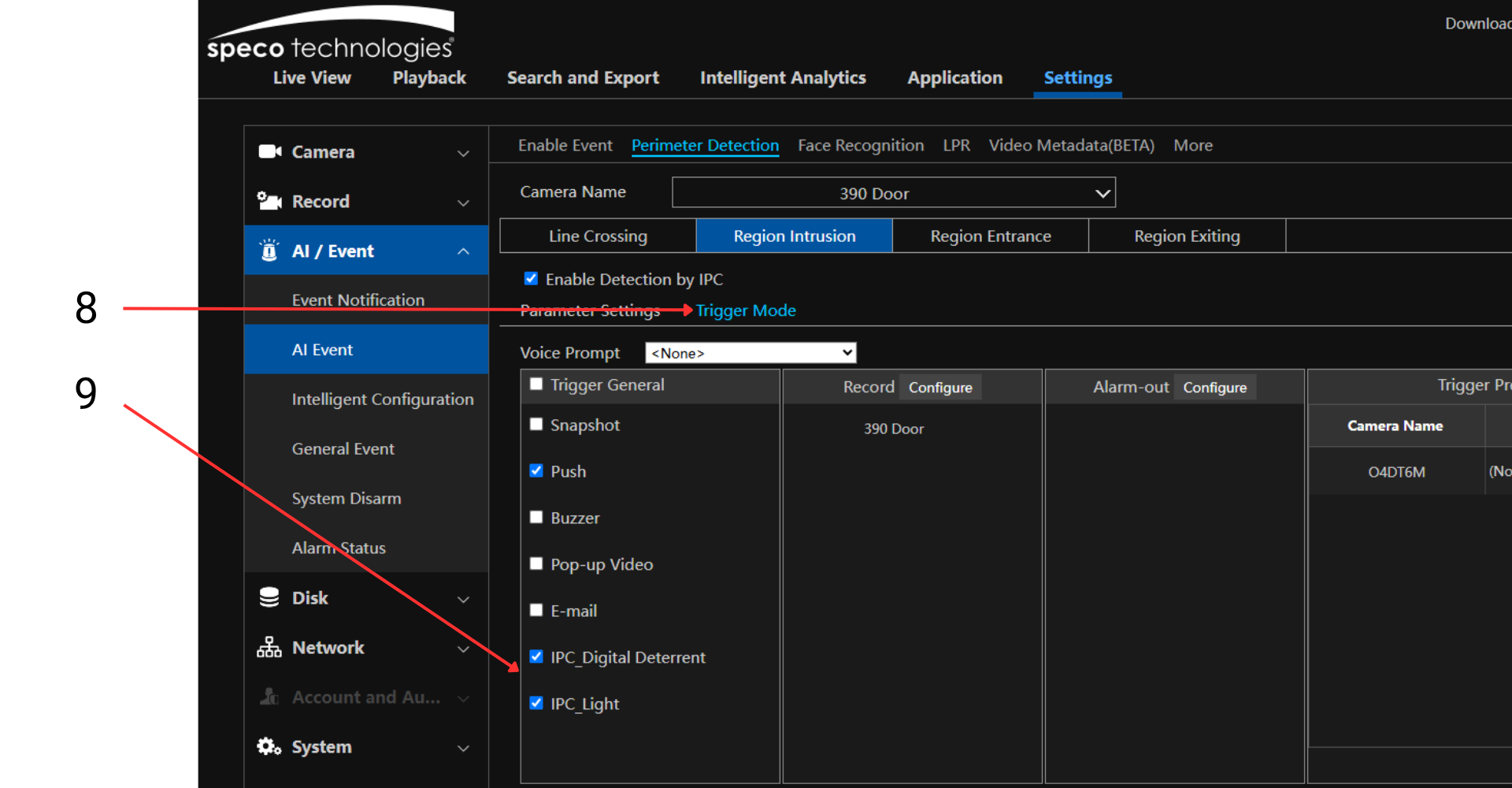
- Click Trigger Mode (8)
- Select IPC_Digital Deterrent and IPC_Light (9)
- Note: checking the Push box will enable push notifications to users with the app
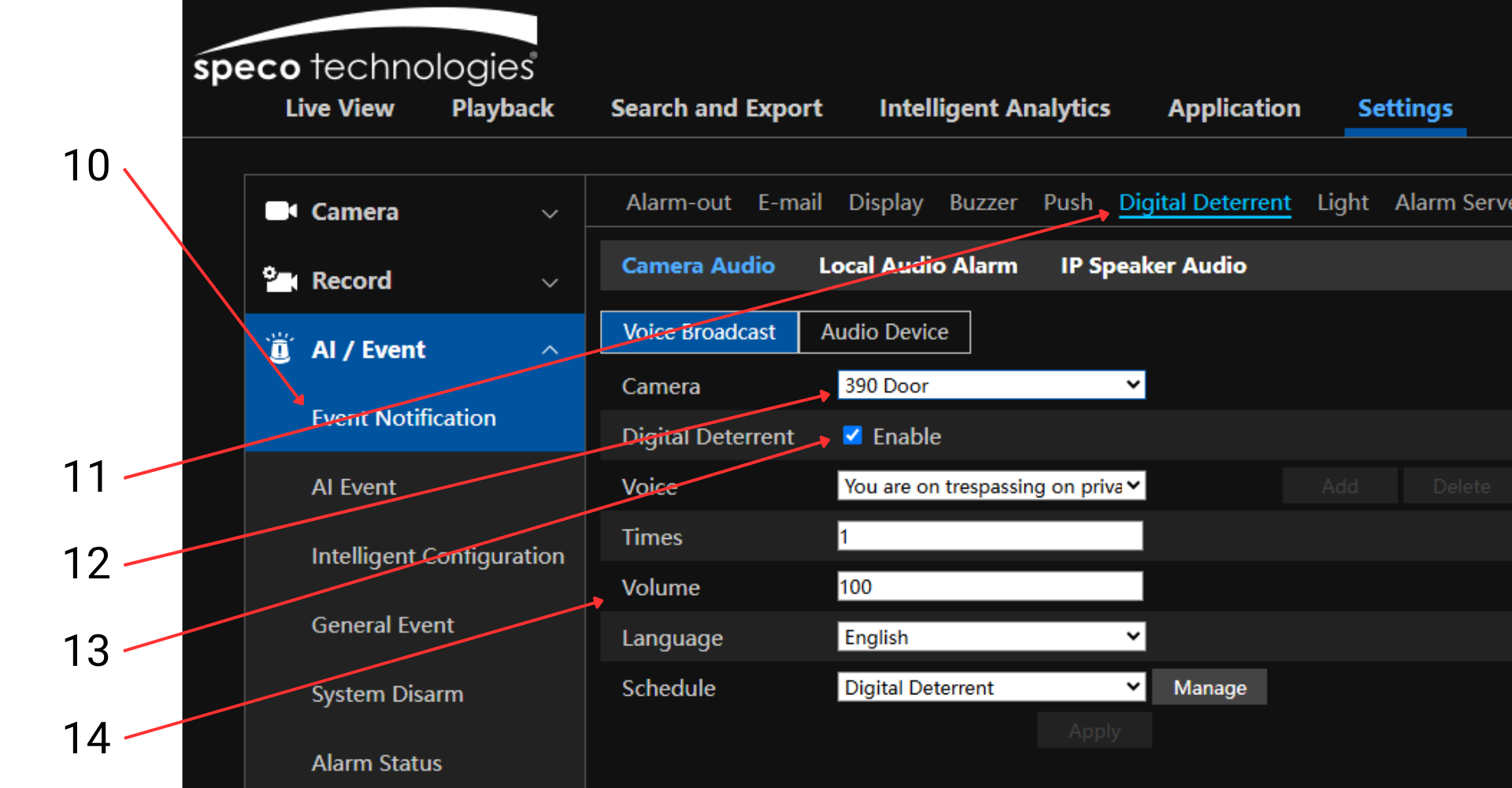
- Click Event Notification (10)
- Click Digital Deterrent (11)
- Select your camera (12)
- Check Enable (13)
- Choose your message, how many times it repeats, the volume it plays at, language, and schedule (14)